
Discover the best AI tools for students in 2026, including free AI tools for studying, note-taking, research, and exam prep that actually save time.
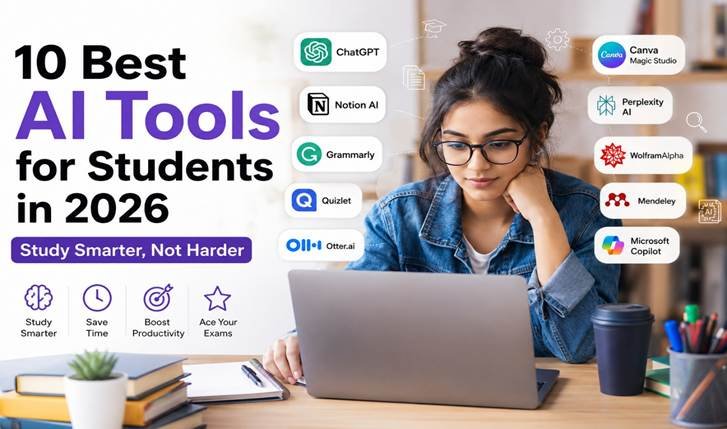
Let’s be honest student life in 2026 looks nothing like it did even five years ago. With all the lecture halls, group work, part-time job as interns, and never-ending notifications, it becomes really difficult to find time for studying. That is precisely the reason these study platforms have become a necessity rather than an option.
Whether you are studying for an exam, writing an essay at two o’clock in the morning, or trying to understand a 40-page long research article, there is finally a piece of AI software designed specifically for the task. The most important thing is that many of the most effective tools are free to use, or at least have a 90% free trial version.
In this guide, we will be going through the platforms that really deserve your attention in 2026 – not just the flashy ones, but the ones that can actually help you study, write, and organize yourself.
Why Students Need AI Tools in 2026
Let’s begin with the natural query: do you even need the technology at all, or is this another passing fad? The simple truth is that the ones who come first in class aren’t the smartest students in the bunch; they’re the efficient ones. The proper tools will assist you with:
- Cut down hours spent on repetitive tasks like summarizing notes or formatting citations
- Get instant clarity on confusing topics without waiting for office hours
- Turn messy class notes into structured, exam-ready material
- Catch grammar and clarity issues before a professor does
- Stay organized across multiple subjects, deadlines, and group projects
Used the right way, these tools don’t replace learning; they remove the friction around learning so you can focus on actually understanding the material.
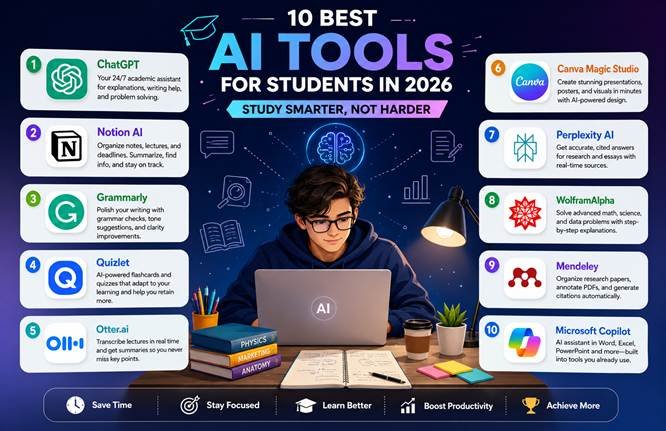
1. ChatGPT – Your 24/7 Academic Assistant
If there’s one tool that started this entire shift, it’s ChatGPT. It’s less like a search engine and more like a patient tutor who never gets tired of your questions.
- Breaks down complex topics into simple, digestible explanations
- Helps outline essays, assignments, and presentations
- Assists with debugging code and solving math problems step by step
- Summarizes long readings in seconds
For anyone hunting for free AI tools for students, ChatGPT’s free tier alone can handle most day-to-day academic needs.
2. Notion AI – The Organization Powerhouse
Juggling five subjects, three deadlines, and a group project chat that never stops buzzing? Notion AI turns chaos into a clean, searchable workspace.
- Auto-summarizes lengthy lecture notes
- Builds to-do lists and study schedules automatically
- Helps you find any note or document with a simple question
- Keeps all your subjects organized in one dashboard
3. Grammarly – Polish Every Assignment
Even brilliant ideas lose points if they’re buried under grammar mistakes. Grammarly acts like a sharp-eyed editor sitting right inside your writing tool.
- Fixes grammar, spelling, and punctuation instantly
- Suggests clearer, more confident phrasing
- Adjusts tone for emails to professors or internship applications
- Flags overly complex or repetitive sentences
4. Quizlet – Smarter Exam Prep
Cramming the night before an exam rarely works. Quizlet uses AI-backed learning science to make revision genuinely stick.
- Converts your notes into flashcards automatically
- Identifies weak areas and builds focused practice sessions
- Helps memorize formulas, dates, and definitions faster
- Offers interactive quizzes that adapt to your progress
5. Otter.ai – Never Miss a Lecture Point Again
Trying to write notes and listen at the same time is a losing battle. Otter.ai transcribes lectures in real time so you can actually pay attention.
- Converts spoken lectures into searchable text
- Highlights key points for quick revision later
- Makes group study sessions easier to review
- Frees you up to focus on understanding, not scribbling
6. Canva Magic Studio – Presentations Without the Stress
You don’t need design skills to make your project look professional anymore. Canva’s AI features do the heavy lifting.
- Generates entire presentations from a simple prompt
- Offers ready-made templates for reports, posters, and slides
- Suggests layout and design improvements automatically
- Makes even last-minute submissions look polished
7. Perplexity AI – Research With Receipts
For anyone tired of chasing down credible sources for assignments, Perplexity AI answers questions with direct citations attached.
- Provides accurate, source-backed answers
- Speeds up fact-checking for essays and reports
- Bridges the gap between a chatbot and a search engine
- Ideal for research-heavy coursework
8. WolframAlpha – For the Math and Science Crowd
This one’s less of a chatbot and more of a computational brain. If you’re in engineering, physics, or economics, this tool earns its spot on your bookmarks bar.
- Solves calculus, algebra, and statistics problems step by step
- Generates graphs and data visualizations instantly
- Explains scientific and chemical properties in detail
- Handles complex equations most calculators can’t touch
9. Mendeley – Citation Management Made Simple
Anyone writing a thesis or long research paper knows the pain of manually formatting references. Mendeley removes that pain entirely.
- Stores and organizes all your research papers in one place
- Auto-generates citations in APA, MLA, and other formats
- Lets you highlight and annotate PDFs directly
- Saves hours during the final stages of a research project
10. Microsoft Copilot – Built Into Tools You Already Use
If your college runs on Microsoft 365, Copilot is already sitting right there waiting to help.
- Drafts and summarizes documents in Word
- Builds presentations instantly in PowerPoint
- Analyzes data and creates charts in Excel
- Saves time by working inside apps you already know
How to Use AI Tools for Students the Right Way
A quick reality check before you download every app on this list: AI tools for students are meant to support your learning, not replace it. Here’s how to use them responsibly:
- Treat AI as a brainstorming partner, not a ghostwriter
- Always double-check facts, since even the best tools can get things wrong
- Never submit AI-generated text as entirely your own work
- Follow your institution’s specific policy on AI usage in assignments
The goal isn’t to let AI do your thinking for you it’s to clear away the busywork so you have more energy left for actual learning.
Which Free AI Tools for Studying Should You Start With?
In case you are just beginning and do not wish to try out all these apps yet, choose one app for writing (Grammarly), one for conducting research (Perplexity AI), and one for organizing your data (Notion AI). Almost all of these apps provide some good free AI apps for learning which get the job done for you without you spending a single rupee on them.
Conclusion
AI is not taking good students’ place; AI is helping good students do even better. The proper combination of AI tools for students can save you several hours each week, help to write better, and even make preparing for exams less stressful. Begin with using one or two of these AI tools, learn how to work with them, and create your AI study toolkit. Those students who will adapt earlier will study more efficiently throughout 2026 and further.