
Wondering what is APAAR ID? This APAAR ID for Students guide explains registration, benefits, uses and card download steps in 2026.
Introduction
A fresh format gets into your school bag this time. It is called APAAR. The parents are having queries. The students are feeling confused. The teachers say, “Please submit it soon.”
What is the whole fuss about? Let us keep it simple. This guide explains APAAR ID for students in plain words. You will learn the meaning, the steps and the benefits. I have also added a parent checklist and a few traps to avoid.
What Is APAAR ID?
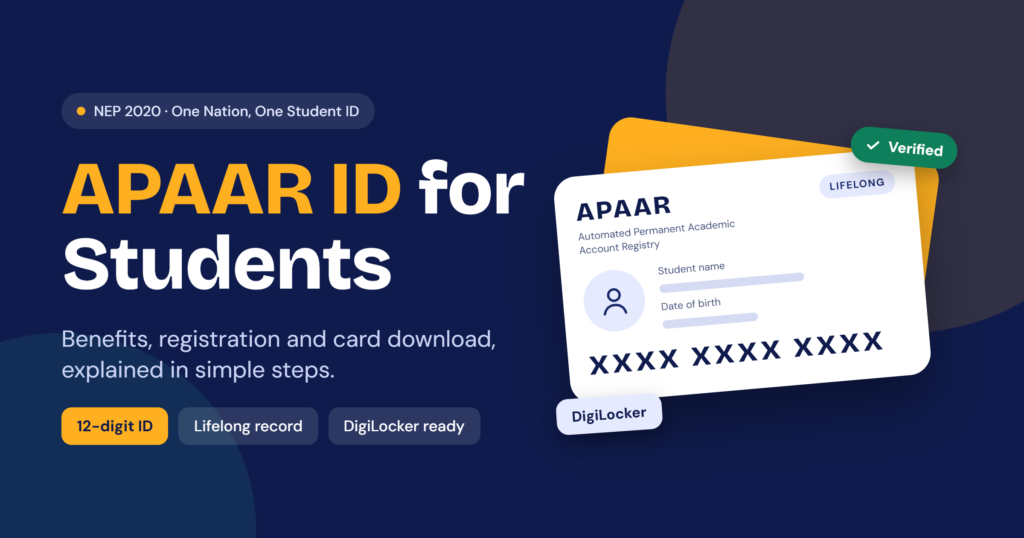
The acronym APAAR means Automated Permanent Academic Account Registry. It is a 12-digit unique ID number allotted to students in India. This unique identifier was created based on the concept of ‘One Nation, One Student ID’ as per NEP 2020.
Consider this unique identifier as your locker number while studying. All your results, certificates, and accomplishments will be kept under this single identifier. The number will remain the same whether you shift to another school or city or college.
Your roll number will change, admission number will change, but this will not change.
Why APAAR ID for Students Matters Right Now
Paper records can be misplaced. They can be damaged. They can be delayed. A single identity number solves all that.
Then there is the legal angle. As per the circular issued by the CBSE in August 2025, the ID has become compulsory to register Class 9 to 12 students for board exams starting from 2026. Many colleges also require it during admission procedures.
APAAR ID Registration Process: Two Routes
Here is the good news about APAAR ID for students. The process is short. You only need to pick the right route.
Route 1: Through your school (for most school students)
- The school checks your details on UDISE+.
- Your parent or guardian signs a consent form.
- The school generates the ID.
- The ID shows up in your DigiLocker account.
Route 2: Through DigiLocker or the ABC portal (for adults and college students)
- You verify yourself with Aadhaar.
- You fill in your institution details.
- You generate the ID yourself.
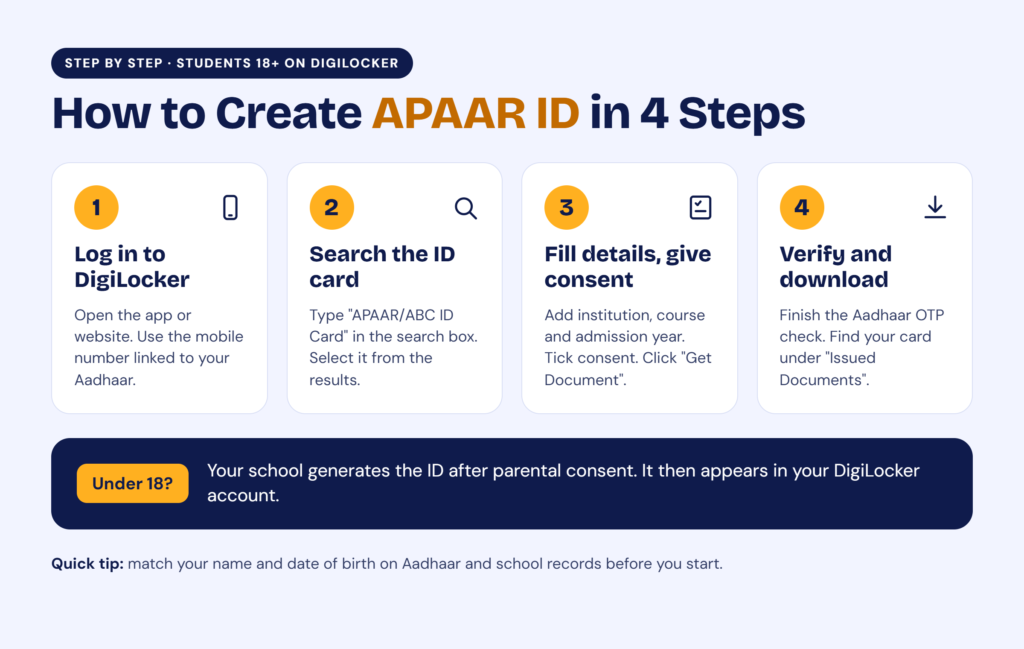
How to Create APAAR ID for Students Aged 18+
Follow these steps on DigiLocker:
- Open the DigiLocker app or website.
- Log in with the mobile number linked to your Aadhaar.
- Search for “APAAR/ABC ID Card.”
- Fill in your institution, course and admission year.
- Tick the consent box and click “Get Document.”
- Complete the Aadhaar OTP check.
- Find your ID under “Issued Documents.”
You can also use abc.gov.in. Sign up as a student and follow the prompts.
Before You Apply: A 5-Minute Checklist
Most delays come from tiny errors. Use this list before you start APAAR ID for students registration at home:
- Your name on Aadhaar and school records should match exactly.
- Your date of birth should match in both places.
- Your Aadhaar must be linked to an active mobile number.
- Your school must have your record on UDISE+.
- A parent should be free to sign if you are under 18.
One spelling gap can stall everything. Fix it first. Then apply.
Benefits of APAAR ID for Students
The benefits of APAAR ID for students are practical. Here is what you actually gain:
- One document, one source. No more digging up old certificates.
- Quick admissions. The schools will be able to verify your credentials fast.
- Simple credit transfers. Academic Bank of Credits is directly linked to your ID.
- Not many forged papers. It’s much harder to forge a certified document.
- Easier switches between schools. Switching schools in the middle of the year gets easier.
- Checking your scholarship eligibility. Verification can make it easier to check eligibility.
Picture a family that moves cities for a job. Earlier, they chased papers for weeks. With a linked ID, much of that chase can shrink.
APAAR ID Card Download: Where to Find It
Here is the key fact. The official system delivers APAAR ID for students into DigiLocker. You do not download it from some random site.
To get your card:
- Log in to DigiLocker.
- Open “Issued Documents.”
- Look for “APAAR/ABC ID Card.”
- Download or share it from there.
Can’t see it? Check three things. The ID may not be generated yet. You may be using the wrong DigiLocker account. Or your Aadhaar and school details may not match. Never pay an agent for this.
APAAR ID for Students: Consent and Privacy
It is the one that gets neglected by most blogs. The parents need clarity on this aspect.
If it is a child, then the school requires consent from parents. Aadhaar will be used for authentication. Privacy has been an issue of debate. There are reports that the Supreme Court in July 2026 considered if consent forms provide a real choice to decline. CBSE has also instructed schools to note down “Refused” in case of withholding of consent. Other failures could be labeled “NOGEN.”
Rules are still evolving. So ask your school these questions before you sign:
- Can I say no without any penalty?
- Which data will you upload?
- Who can see my child’s record?
- Will I get a copy of the signed form?
If you plan APAAR ID for students in your own family, keep that signed copy safe.
Mistakes to Avoid
- Waiting for the last date.
- Ignoring name mismatches.
- Sharing your DigiLocker PIN with others.
- Trusting paid “APAAR agents.”
Each one costs time. Some can cost money too. Stay with official routes only: the school, DigiLocker and the ABC portal.
Conclusion
It is not just another form. APAAR is your lifelong academic identification that may save you time and trouble with the paperwork. Look through the data, read the consent, and follow only legitimate channels. Do that, and APAAR ID for students becomes one of the easiest tasks on your list.